Home
Virtual Machine
Nov. 2023
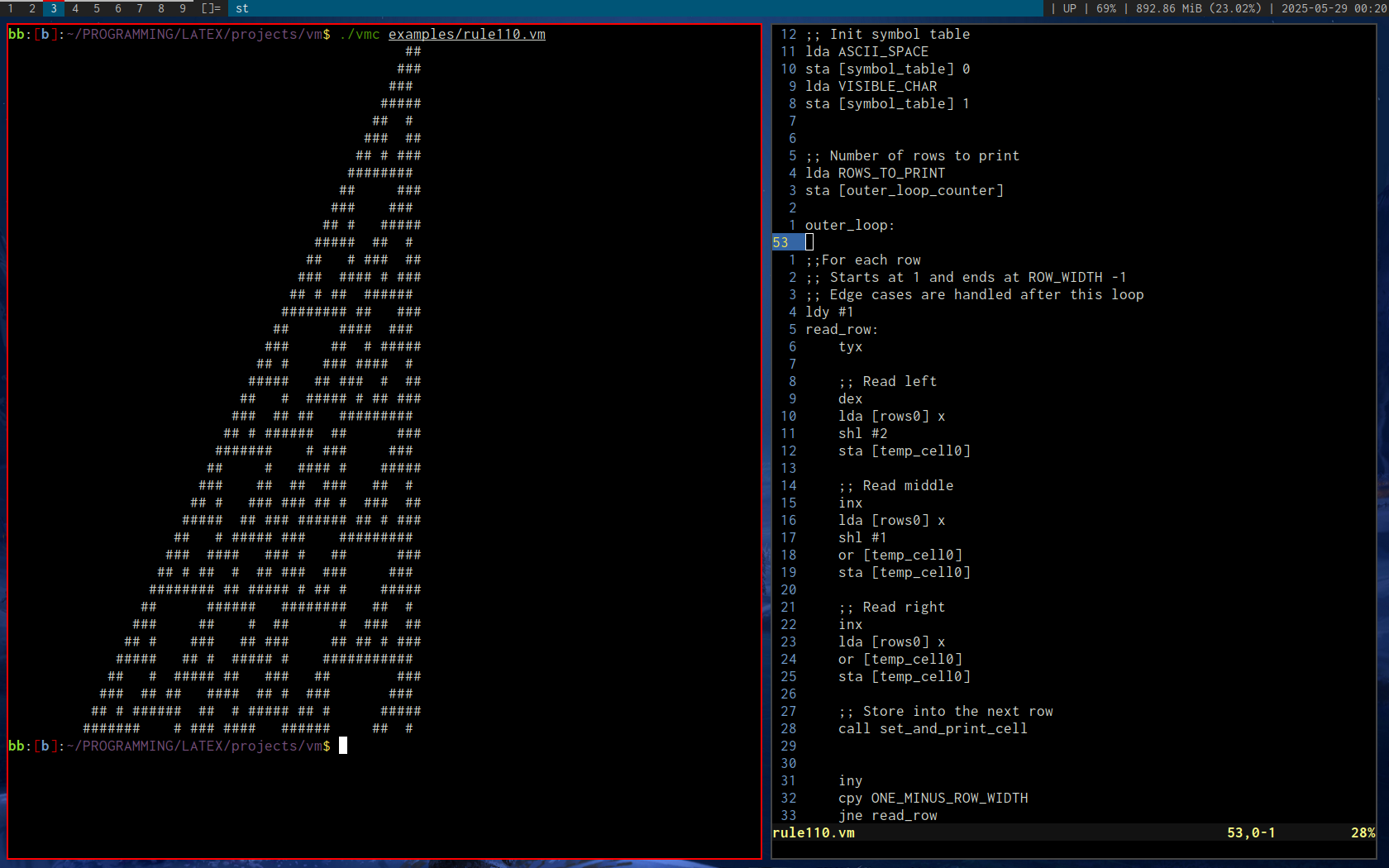
Rule 110 cellular automata by Stephen Wolfram
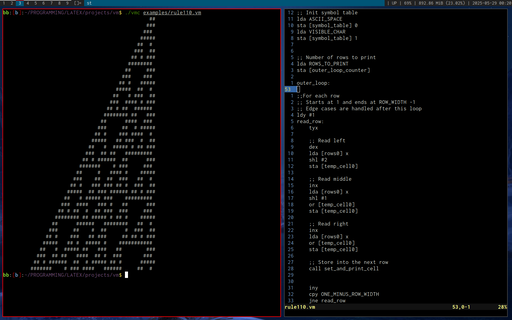 A custom programming language based on a hybrid of 6502 and x86 assembly.
After many failed attempts at creating a programming language, this was my first real success, in that I was both able to write a parser and interpreter that executed real code. The key difference between this and my previous attempts was that I started small. Previously, I had spent far too much time optimizing the parser, when I had absolutely no running code examples to speak of (they were also assembly-like languages). I was doing things like benchmarking how quickly I could get the parser to run through a million lines of code, without ever being able to run or compile that code into anything meaningful. The speed was there, but at the end, I was too burned out on optimizations and gave up.
By limiting my initial scope to just a few instructions (if I recall correctly, CMP, JNZ, and DEC), I was able to produce a so-called minimum-viable-product that ran through the entire parser/intepreter cycle, and I was then able to iterate on the compiler and language development much faster than if I had done it in isolation as before.
More instructions soon followed, and I then began writing the software I wanted, and implementing new instructions to accomodate that software.
Rule 110 by Stephen Wolfram was a good test case which forced me to add a number of new instructions and addressing modes.
In brief, the language can best be described as having x86-like instructions and addressing ([] operators with register / address offsets), and 6502 register limitations (only 3 registers and a stack, as well as 64k of RAM).
Practically speaking, there is no real reason to limit the syntax to just three registers, as was done in the 6502, but, it does impose an interesting limitation and changes how one thinks about writing code.
Going back to the previous optimization topic, it turned out that just by following a simple approach, there was no practical need to optimize the parser. It was honestly more fast enough for anything that was required of it.
As an aside, even the interpreter is quite fast, given that I often coded the simplest and most obvious thing that came to mind, and spent minimum effort optimizing. In truth, the only thing I spent time on was implementing a buffered printf (Odin, the implementation language for this interpreter did not have a buffered print at that time, and was issuing a write() syscall on each print call).
Some time later, I coded up a transpiler that translated brain**** source code into a number of other languages (including this one), and this language's performance was actually about on par with Java! Granted, the JVM had absolutely no chance at JIT compiling the output of the transpiler, but I was surprised nevertheless.
Lessons learned: Building a minumum-viable product can be incredibly beneficial when done under the right circumstances.
BSP Viewer (Quake, Half-Life)
Sep. 2023
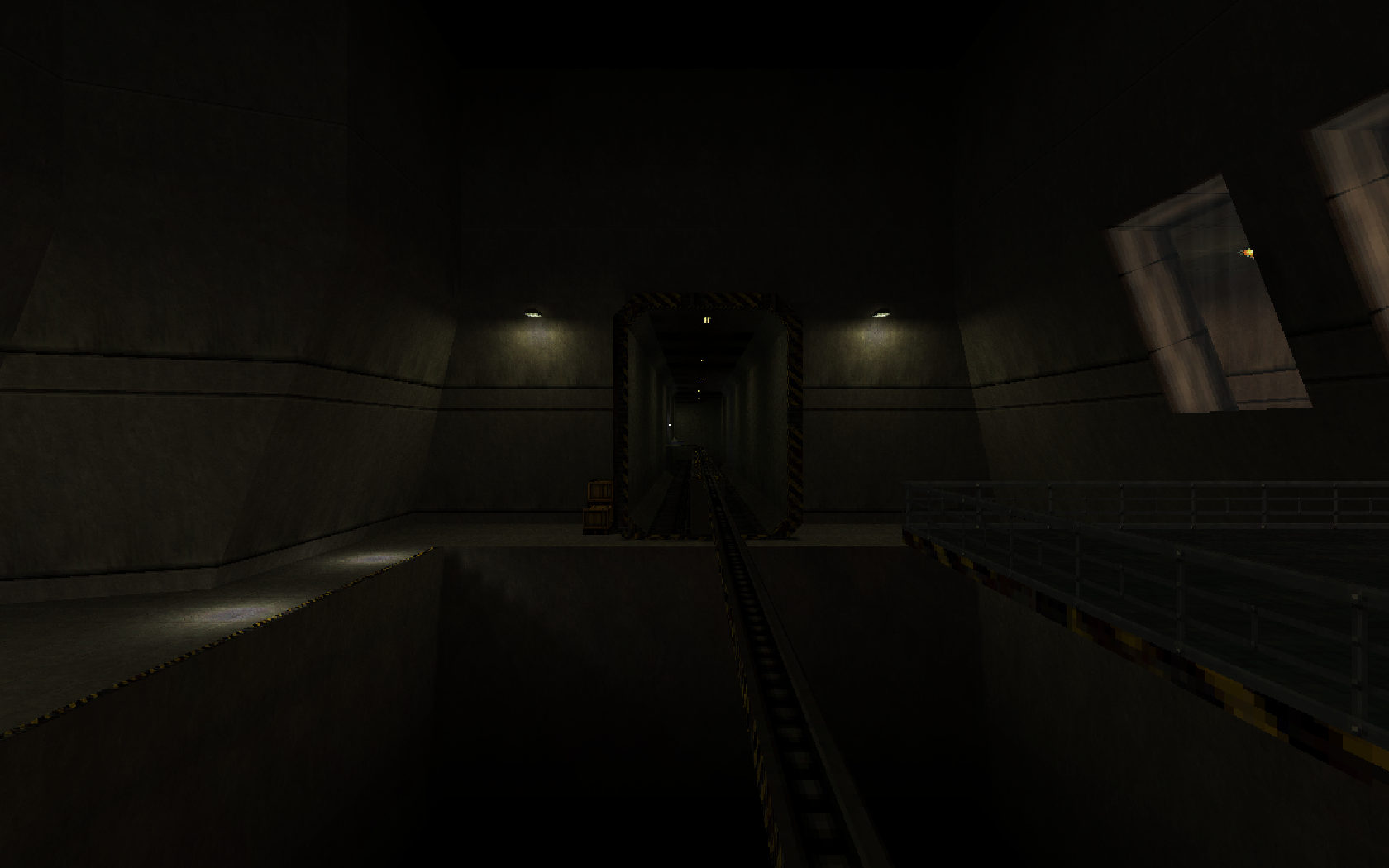
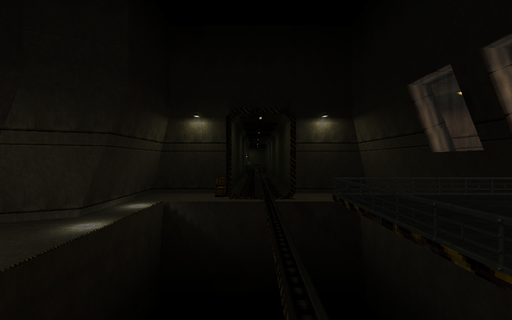
Black Mesa Inbound (c0a0.bsp)
SoftQuake
Aug. 2023
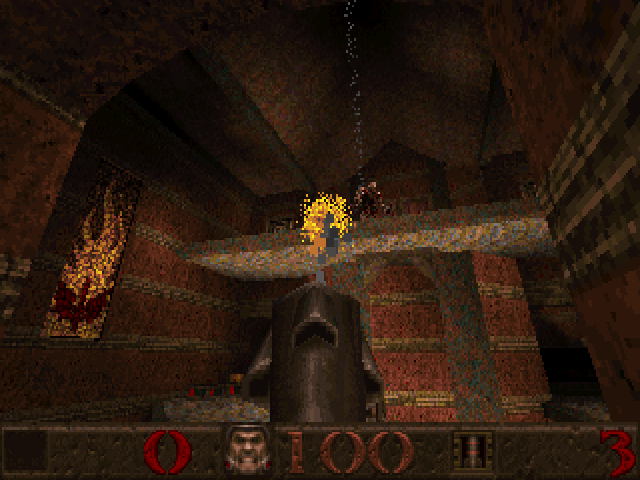
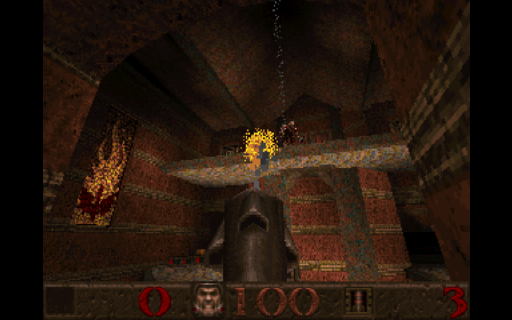
Gloom Keep (e1m5.bsp). Link to this port
Doomfire (DOS)
Apr. 2023
Inspired by Fabien Sanglard's article on this effect
 I first learned about this algorithm in Fabien Sanglard's article. After implementing it for the desktop, I wanted to port it to DOS's Mode 13h.
Very quickly, I ran into performance bottlenecks when choosing a random number in SpreadFire().
This led me to come up with an optimized random number generator for this code. I was inspired by DOOM's approach of having a pre-calculated random number table, and randomly indexing into it.
So now, instead of this:
long Random = ((long)((rand() / (float)RAND_MAX) * 3)) & 3;
We have:
RndIndex = (RndIndex + 1) & 0xFF
long Random = RndLong[RndIndex];
RndLong is a table of random values with the (& 3) mask pre-applied.
RndIndex is seeded once per scanline to give the illusion of randomness, and is incremented each scanline pixel.
Reviwing the assembly language:
Listing 1:
call near ptr _rand
mov word ptr [bp-10],ax
fild word ptr [bp-10]
fdiv dword ptr DGROUP:s@+8
fmul dword ptr DGROUP:s@+4
call near ptr N_FTOL@
and ax,3
and dx,0
mov word ptr [bp-6],dx
mov word ptr [bp-8],ax
Listing 2:
mov ax,word ptr DGROUP:_RndIndex
inc ax
and ax,255
mov word ptr DGROUP:_RndIndex,ax
mov cl,2
shl ax,cl
les bx,dword ptr DGROUP:_RndLong
add bx,ax
mov ax,word ptr es:[bx+2]
mov dx,word ptr es:[bx]
mov word ptr [bp-6],ax
mov word ptr [bp-8],dx
So although Listing 2 appears to be longer, we avoid two functions calls, an fdiv, and an fmul.
As a result, the optimized code runs about 2x faster.
I highly recommend reading the article, as I did not explain the algorithm itself in this writeup.
To generate the random numbers, I used this 16-bit random number algorithm.
unsigned short seed = 10;
unsigned short RandomInt16()
{
unsigned short x = seed;
x ^= x << 7;
x ^= x >> 9;
x ^= x << 8;
seed = x;
return x;
}
D3D9c Demos
Apr. 2023
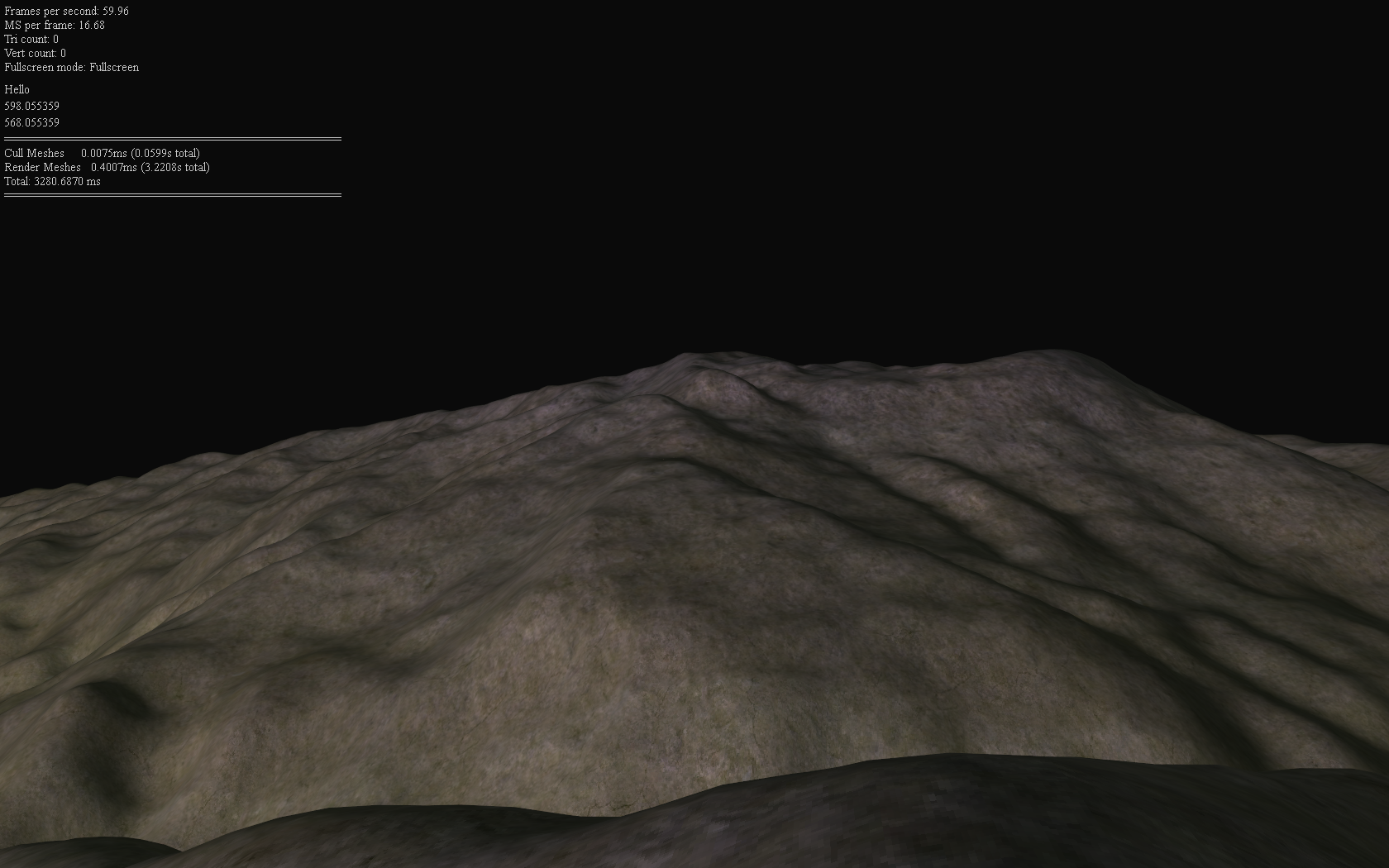
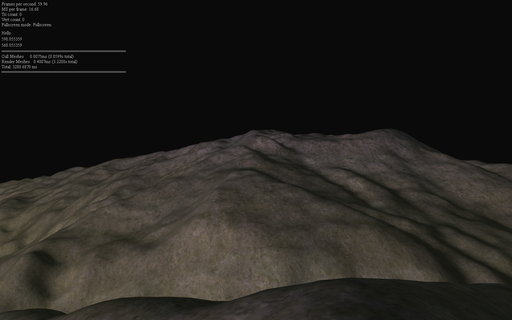
The first 18 chapters of Frank Luna's D3D9c tutorials. This image is based on Chapter 18 - Culling
 I don't remember exactly how or why I decided to learn D3D9, but somehow, I stumbled upon Frank Luna's D3D9c tutorials, and spent the next month or so going through them.
As I recall, I didn't actually install the D3D SDK properly, and instead used the headers and libraries provided by MSYS2 (a cross-compilation environment for Windows).
This meant that I had virtually no documentation, except the code that the headers contained, and the tutorial code. I remember development and debugging being quite frustrating in the beginning, especially because unlike OpenGL, D3D has this notion of lost resources which needed be reset whenever the window got maximized from a minimized state, or got set to fullscreen mode, or any other combination of state changes.
I was also using the D3DX library as was done in the tutorials, which meant that those resources needed to follow a similar reset process. After some consideration on how to solve this, I just stored all of the resources in std::vectors containing an array of each respective type of resource. I had a separate array for sprites, textures, shaders, and fonts. In future attempts of these tutorials, I used a slightly fancier approach that used a base class with virtual OnLostDevice and OnResetDevice functions, and created inherited classes for each resource type that would then call its respective functions. This allowed me to have a single array for all D3DX resources, at the slight overhead of a virtual function call. I didn't know how to do this at the time, so I just made separate arrays and looped over each one manually as needed.
Regarding shaders, this was also my first introduction to HLSL, Microsoft's shading language. Coming from GLSL, and being quite accustomed to #version 330 to #version 450 features (roughly equivalent to DX10 and DX11), this was quite an eye-opener for me. Separate shader compilation was something I had never encountered before, and using FX files was also something new (I'll elaborate more on this later).
The tutorial used vs_2_0 and ps_2_0 shader models. I did not know it at the time, but these shader models are quite restrictive compared to what we are accustomed to these days (although for the time, I imagine that it did not feel as such, especially compared to the limitations of DX8). After getting to the 3D portion of the tutorial and trying to implement lighting in the LearnOpenGL style, I quickly ran into constant register limitations, after which I bumped up the version to vs_3_0 and ps_3_0, and stuck to that for the rest of the examples.
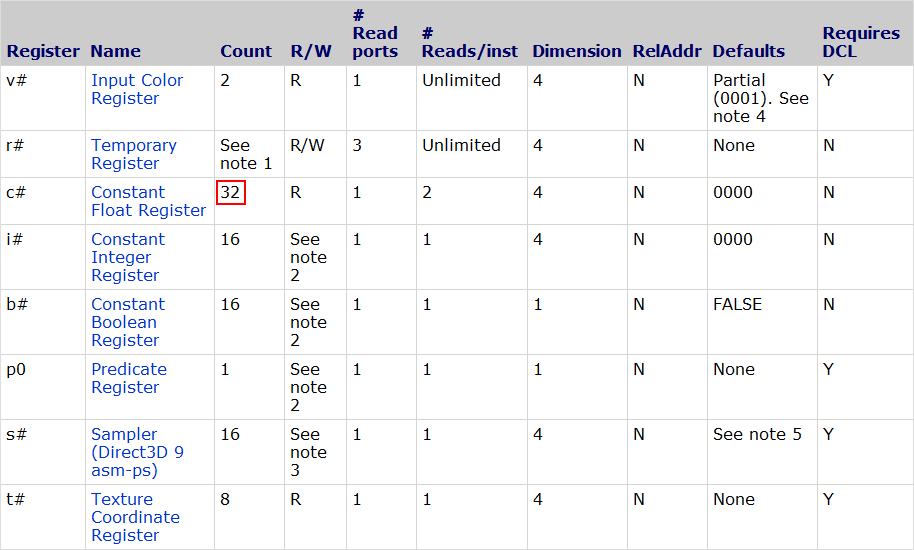
See the tables below for the pixel shader register counts:
Shader Model 2
Shader Model 3
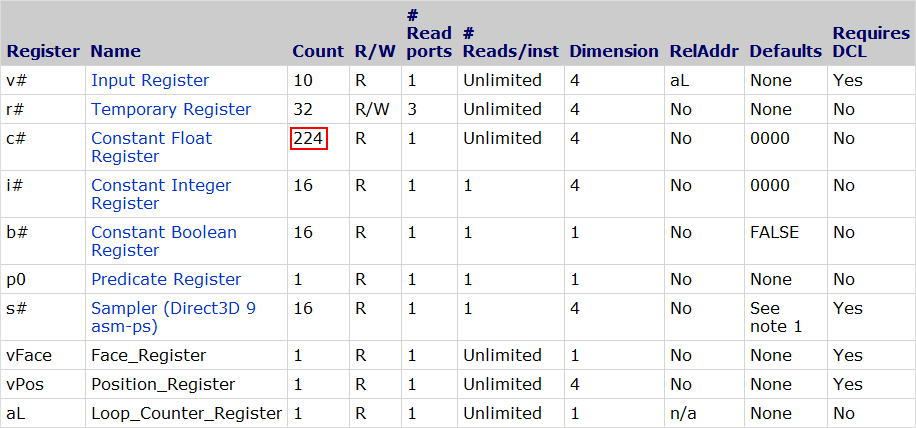
As we can see, there are a mere 32 constant float registers in the ps_2_0 model. It's worth noting that each register refers to a 4-element float. That is, even if we use a uniform float value consisting of a single element, unless the compiler is doing some magic for us behind the scenes (usually known compile-time constants), it will take up the same amount of space as 4 elements. This makes packing an absolute must when register limits are being hit.
On the other hand, the ps_3_0 requirements are much more relaxed, giving us a total of 224 constant float registers. Still a far cry from the thousands available today, but it's much more difficult to hit the register limit in standard shader programming.
Regarding the .fx files, this concept was also something quite new to me. Immediately, there are several conveniences that stand out:
- Including vertex and pixel shader code in the same file
- Supporting file #include
- Specifying the render state for each pass (.fx files only)
- Specifying the sampler state (.fx files only)
- Passing extra uniform parameters to the vs/ps entry points in the passes (.fx files only) **
At first, I thought that I uncovered some new hidden low-level way of directly controlling the GPU through shaders. Only much later did I realise that there must be a runtime that parses the .fx files (D3DX), and generates regular D3D function calls for each call of the Shader->Begin() / Shader->End() and Shader->BeginPass() / Shader->EndPass() pairs. I confirmed this later by inspecting the output in PIX, another tool that I did not start using until months after this series of tutorials was completed.
** From past experiments, it seemed to me that these uniform values sometimes generated flow control / conditional assignment instructions. However, some simple tests I just performed indicated to me that the shader compiler was able to optimize these into constant expressions. More testing will be needed. If we can actually pass compile-time constants and have the shader compiler optimize them, then this feature is much more useful than I had originally anticipated, and is more in line with what I expected the behaviour to be.
My initial impressions of HLSL based on (partially) completing the aforementioned tutorial series were quite good, and I've since borrowed many ideas from the FX files in the way I structure things in my renderers.
As we can see, the team responsible for the HLSL language really tried to include as much as possible to make working within the environment as seamless as can be. It is not for naught that I've heard the D3D9 API being referred to as as the kitchen sink API. With the base D3D API along with the D3DX helper functions, there really is a lot in there. Again, coming from GLSL, it's not that these features are not possible to implement on top of GLSL, but it's that they would require writing an extra parser, as well as needing to include runtime support. Multiply that by hundreds or thousands of teams, and you would have a lot of code duplication to support effectively very similar feature sets. However, the benefit of GLSL is that it has very little language support for extra features (other than extensions), meaning that customizing the language to one's own preferences is a lot easier.
For my later OpenGL / GLSL programs, I ended up writing an #include directive pre-parser in Odin and C++. It's one of the most useful features the language can have, in my opinion, and only with glslc/glslang did we get standarised support for it. There is also stb_include by Sean Barret.
Back to top